Meds Ahead
A little ahead.
A lot less
to carry.
Know what runs out next, and why. Today’s doses, every refill, and a run-out date you can check. Nothing leaves your iPhone.
- Free
- No account
- No ads
- iPhone
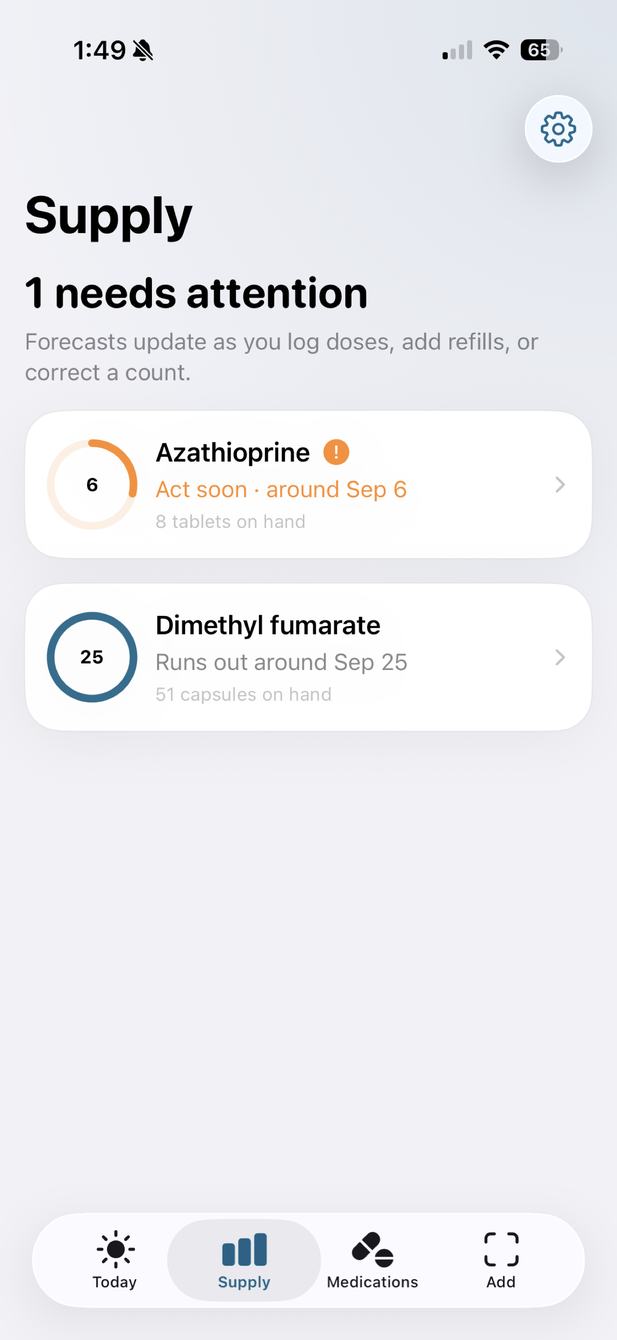
Keep the routine. Lose the mental arithmetic.
How much is left? When will it run out? Meds Ahead keeps your counts, doses, and supply together, so the next refill is easy to see coming.
A forecast that
shows its math.
Log a dose, add a refill, or correct a count, and the run-out date moves with it. Tap Why this date? to see how it was worked out: the last count, the refills since, the doses logged, and any it assumed were taken. When it can’t tell what’s left, it asks for a count instead of guessing.1
Example medication
Runs out in about two weeks
28 tablets on hand
Why this date?
What’s due.
What you took.
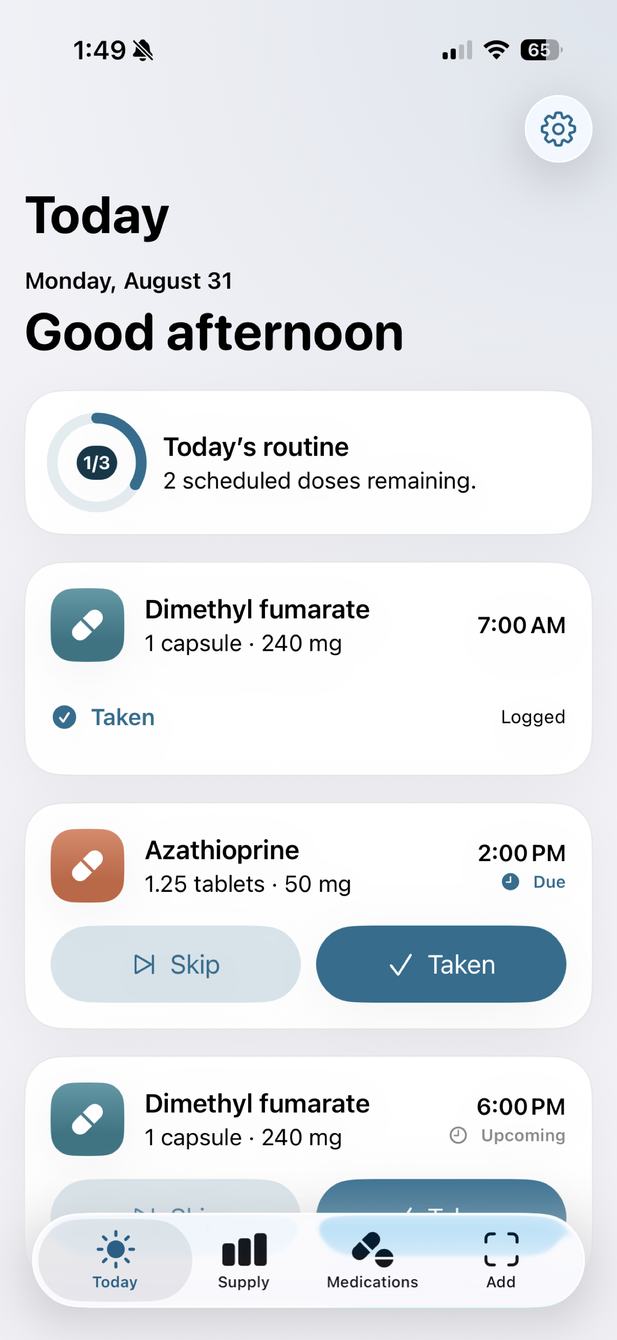
Your day’s doses, gathered in one place. Log each one as taken or skipped, and keep a clear record of the day. Ongoing medications due at the same time share one reminder, and a supply reminder comes as many days before a medication runs out as you choose, or earlier when a prescription has no refills left.
Scan it.
Check it.
Keep it.
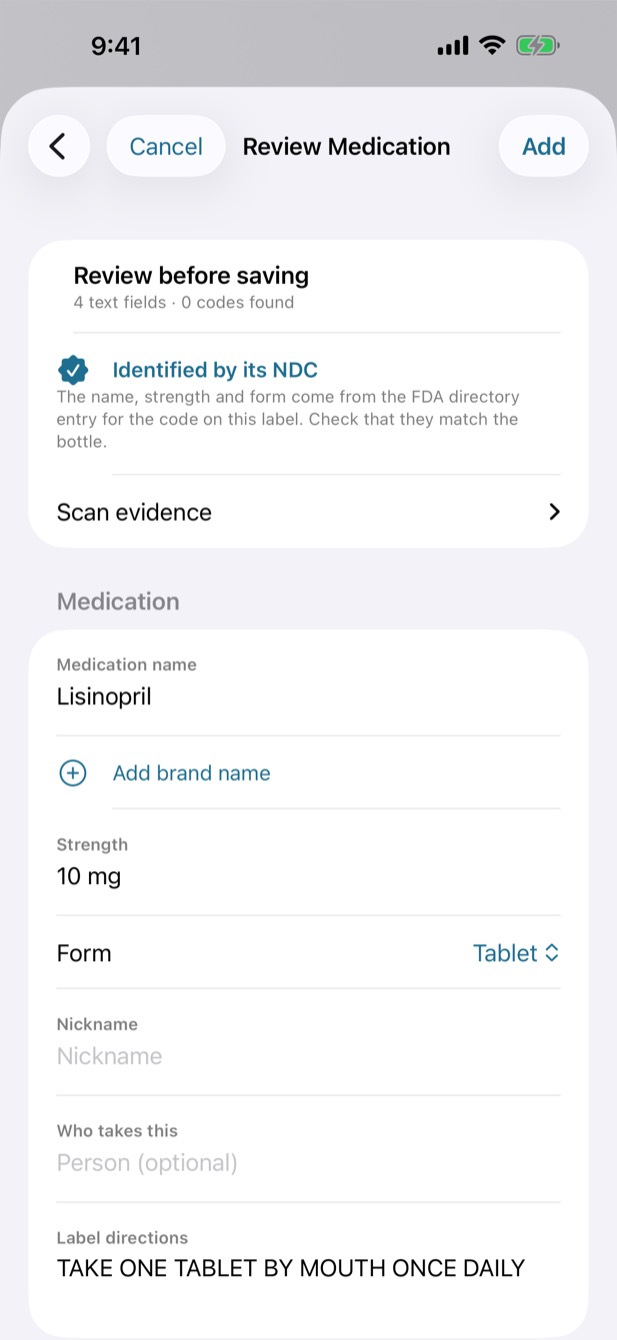
Scan a label or barcode, and Meds Ahead reads it on your iPhone. You review every field and fix anything it got wrong, and nothing is saved until you confirm it.
When a label prints its NDC, Meds Ahead looks it up in a copy of the FDA’s National Drug Code Directory that lives on your iPhone, and fills in the exact product only when the rest of the label agrees. Nothing is looked up online.2
Built for the
first days home.
Home with a bag of new bottles? Scan one, confirm it, and the scanner opens for the next, with a list of what you’ve added so far. A second bottle of something you already track can go in as a refill instead of a second medication.
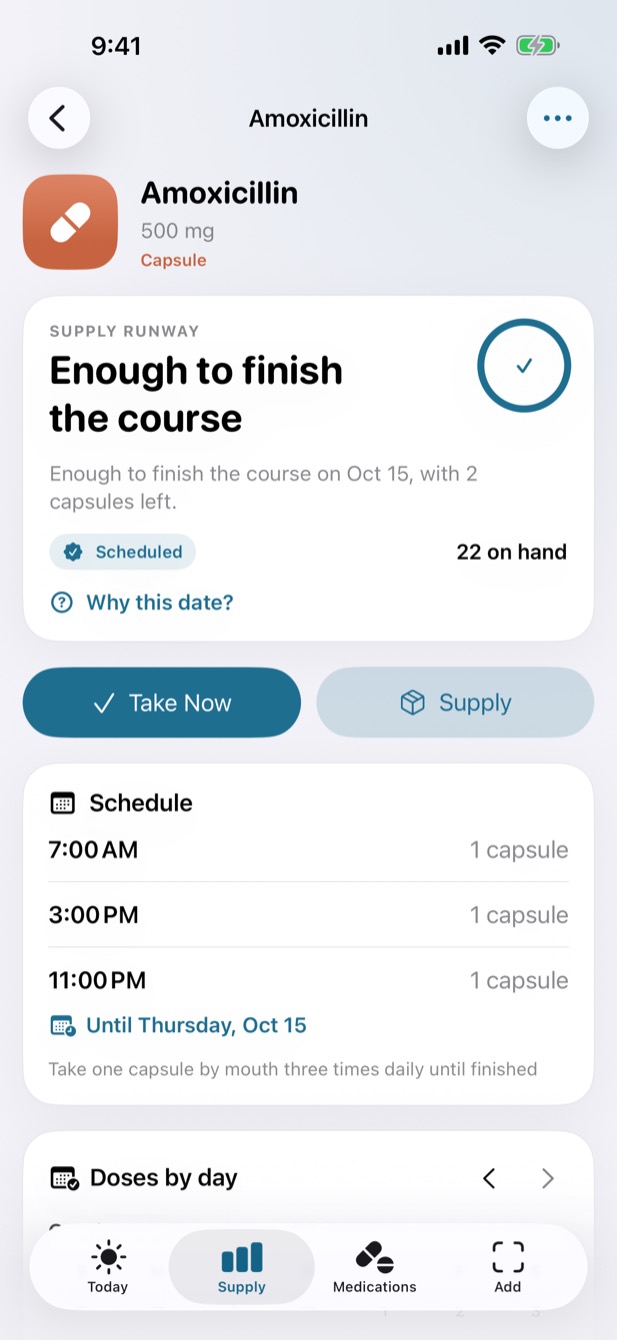
Courses. Give a medication a last day, like an antibiotic. Its reminders stop after that day, and Supply says whether there’s enough to finish.
Also in
Meds Ahead.
Every feature is free, and nothing leaves your iPhone.
A weekly count. At most once a week, Meds Ahead asks you to count the one medication whose run-out date most needs a count, in a reminder and on Today. You can turn it off in Settings.
A second reminder. Turn on Remind Again If Not Logged for a follow-up 30 minutes after a dose that isn’t logged on this phone, worded to check first in case someone else gave it.
Apple Health. On iOS 26 and later, bring over medications you already track in Health, each reviewed before it’s saved. Meds Ahead reads only the ones you choose and never writes to Health.
Widgets. The next dose and what runs out next, on your Home Screen or Lock Screen. On the Home Screen, mark the next dose taken when one medication is due.
A list for appointments. Print or share every medication on one list, with its NDC or RxNorm code when one is known.
Trip Check. Pick the day you’ll be back, and see what to refill before you go.
Your information.
Your iPhone.
Full stop.
No account. No advertising. No tracking. Nothing leaves your iPhone: labels are read there, your medication records stay there, and Meds Ahead has no server to send them to. The App Store privacy label reads Data Not Collected.
Privacy policyWhy it exists.
I built Meds Ahead because my mother was managing more than a dozen medications and refills for my brother through his transplant care, and every app we tried was built around reminders rather than the question she actually needed answered: what runs out next?
Questions,
answered.
Is it really free?
Yes. Every feature is included, with no subscription and nothing to unlock. An optional tip in Settings supports development and unlocks nothing.
Does anything leave my iPhone?
No. Meds Ahead has no account, no server, no analytics, and no advertising, so your medications, doses, and labels stay on your iPhone. The App Store privacy label reads Data Not Collected.
Is there an Android version?
Not today, and there’s no date for one. Meds Ahead is for iPhone, on iOS 18 or later.
Does it give medical advice?
No. Meds Ahead organizes what you enter and confirm. It doesn’t recommend or change doses, check for interactions, or decide when a prescription can be refilled. Follow your prescription label and your pharmacist’s or clinician’s instructions.
Does it work with Apple Health?
On iOS 26 and later. You choose which medications to share in Health’s own picker, and each one is reviewed before it’s saved, with the doses you logged in the last 30 days. After that, doses you log in Health come over when Meds Ahead opens. It only reads; nothing is written to Health.
What languages is it in?
English (U.S.) only. NDC identification uses the FDA’s U.S. directory, so it works for products sold in the U.S.; any medication can still be entered by hand.
Can I keep track for more than one person?
Yes. Give each medication a person, and Today, Supply, and the shared list group by person. There’s no syncing between phones, so it all lives on the iPhone you use.
Make room for
something else.
Free on iPhone, for iOS 18 and later. No account needed.